
Tracking Hotel Availability and Room Loading Events in Angular
# Tracking Hotel Availability and Room Loading Events in Angular
A hotel detail view does not necessarily mean that room and rate availability was successfully retrieved.
That distinction matters in a booking funnel:
Hotel Interest
     ↓
Availability Retrieval
     ↓
Booking Intent
The application uses a rooms_loaded event to make this intermediate stage observable.
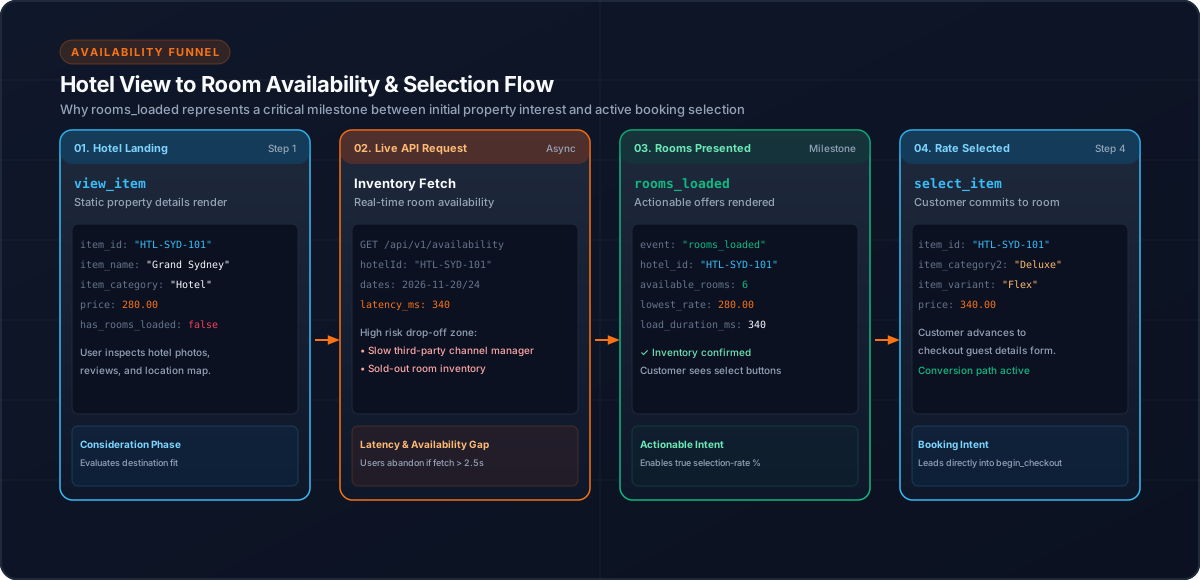
1. Why Hotel Views Are Not Enough
Consider:
view_itemA customer has viewed a hotel.
But several things can happen next:
Hotel View
   ├── Rooms load successfully
   ├── No rooms available
   └── Retrieval does not complete
If analytics records only view_item, those outcomes are difficult to distinguish.
2. The `rooms_loaded` Event
The implementation includes:
rooms_loadedfor the room and rate retrieval stage.
The conceptual sequence is:
Hotel Detail
     ↓
Load rooms/rates
     ↓
rooms_loaded
     ↓
Customer can evaluate options
The event should fire when the application has successfully reached the intended room-loading state.
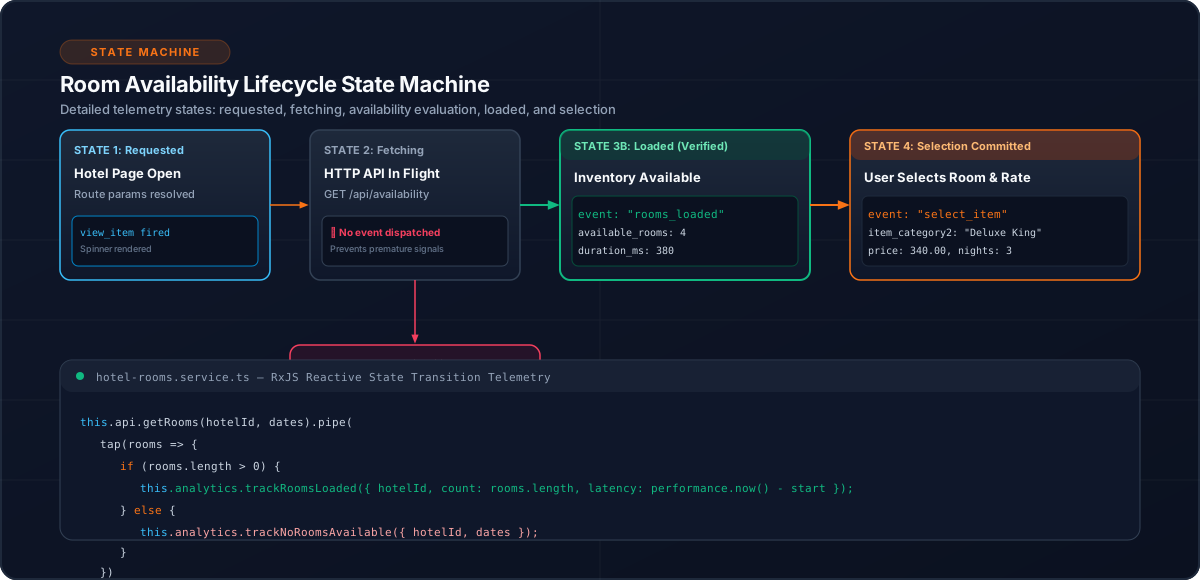
3. Keep the Event Meaning Clear
An event name should answer a business question.
rooms_loaded answers:
Did the application successfully retrieve and present the room/rate stage?
It is different from:
Those actions have different meanings.
4. Connect Availability to Selection
A useful funnel is:
view_item
    ↓
rooms_loaded
    ↓
select_item
    ↓
begin_checkout
This creates an observable transition from hotel interest to available inventory and then to booking intent.
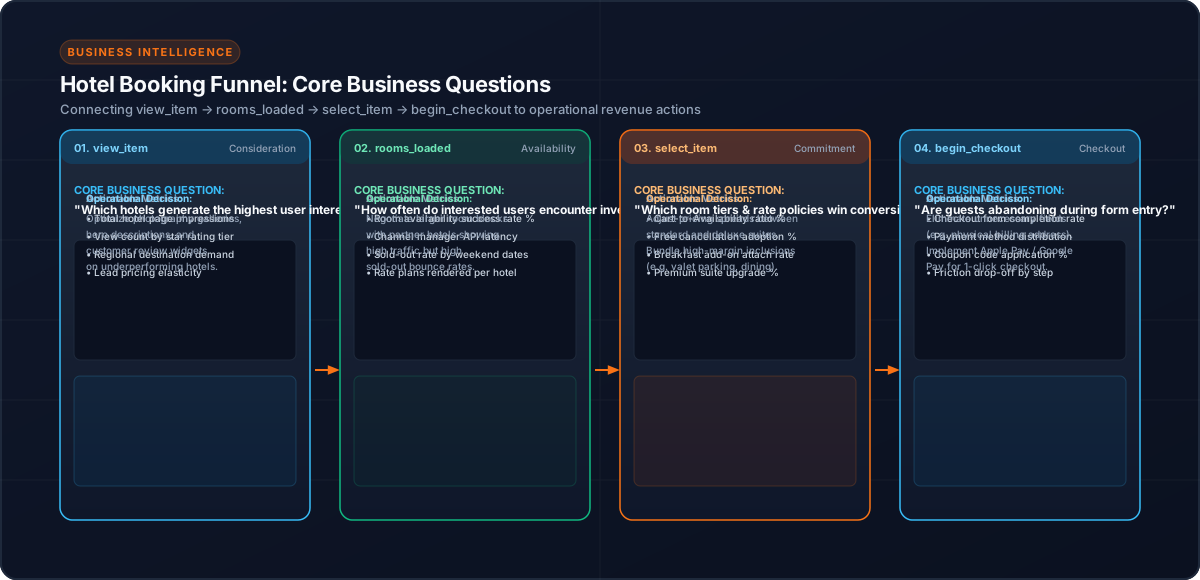
5. Centralize the Event
The application uses a centralized AnalyticsService.
The component or feature code should communicate the business action:
this.analyticsService.trackRoomsLoaded({
  hotelId
});
The service can then construct the provider-specific payload.
The exact event properties should follow the application's analytics contract.
6. Do Not Confuse API Completion With Business Success
A network request finishing is not automatically equivalent to a useful analytics event.
For example:
Request started
     ↓
Response received
     ↓
Application determines available room/rate data
     ↓
rooms_loaded
The event should represent the state the analytics consumer actually cares about.
7. No-Availability Searches Are Different
A hotel can be viewed without usable room availability.
That is why rooms_loaded should not simply be treated as another name for view_item.
The implementation also has separate search-level handling for no-result searches, allowing the wider funnel to distinguish:
Search
   ↓
No results
from:
Search
   ↓
Hotel result
   ↓
Hotel view
   ↓
Rooms loaded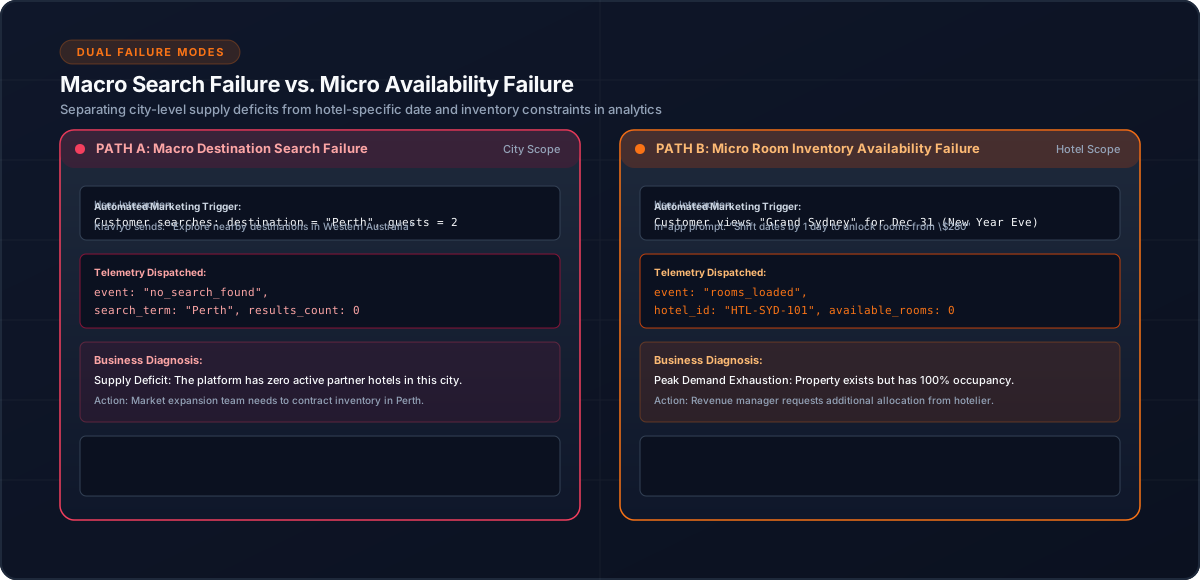
8. Testing the Availability Stage
Test at least:
The goal is to ensure the event reflects the intended business state rather than an incidental UI lifecycle.
Conclusion
Availability is an important analytical boundary in hotel booking applications.
By separating hotel views from successful room loading, rooms_loaded provides a clearer picture of where booking journeys progress or stop.
Related Content
Need enterprise architecture consulting?
Explore our real-world case studies detailing production migrations, performance scaling, and high-throughput gateways.