
How to Track User Sign-Up and Login Events in GA4 with Angular
# How to Track User Sign-Up and Login Events in GA4 with Angular
Authentication events are useful when they describe meaningful user actions without exposing unnecessary identity data.
For an Angular SPA, the analytics layer can provide a clean boundary:
Angular Authentication Flow
          ↓
     AnalyticsService
          ↓
       dataLayer
          ↓
          GTM
          ↓
          GA4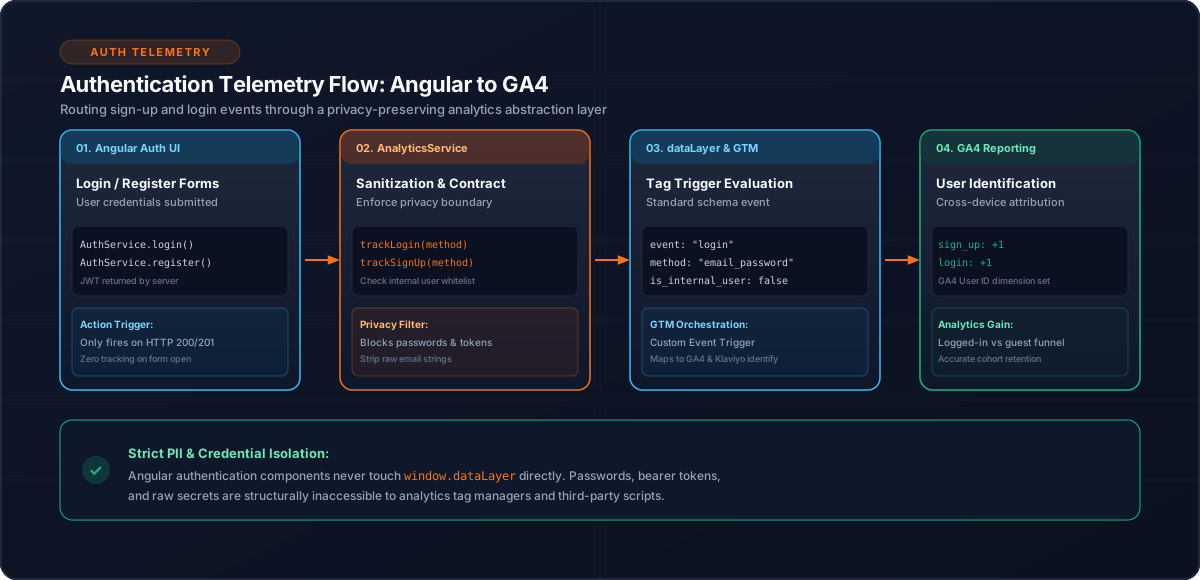
1. Track Business Events, Not Component Lifecycles
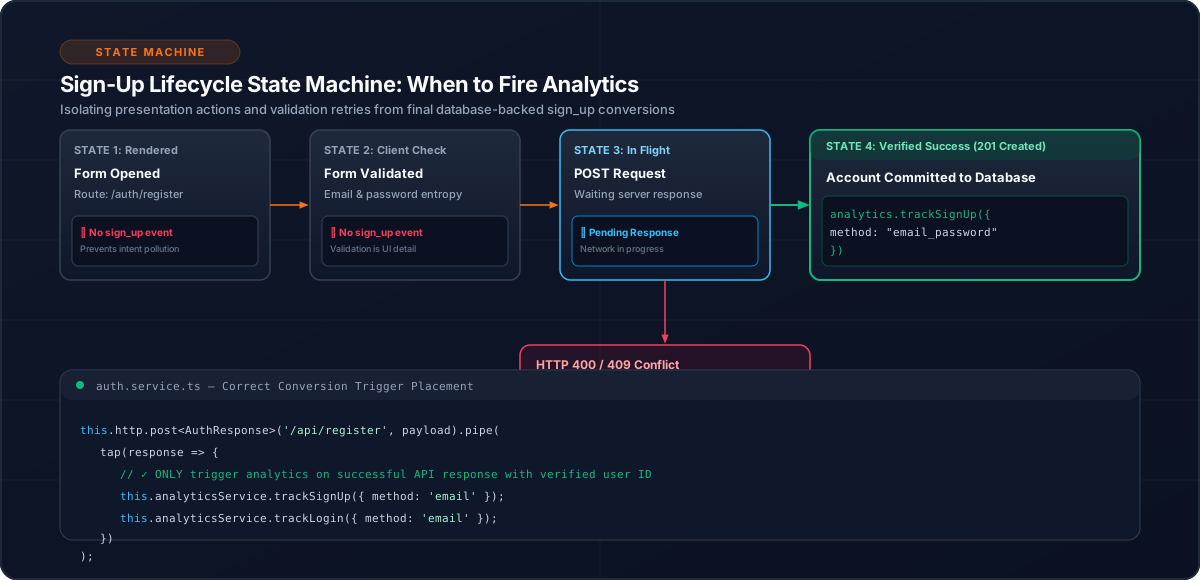
A login should be tracked when authentication actually succeeds, not simply when a login component is initialized.
Likewise, sign-up should represent successful account creation.
Form opened       → no sign_up
Form submitted    → not necessarily sign_up
Account created   → sign_up
Authentication succeeded → login
2. `sign_up`
GA4 can represent successful registration with:
sign_upThe application analytics layer should construct the event rather than requiring components to know provider-specific details.
Conceptually:
this.analyticsService.trackSignUp();The exact payload should follow the application's analytics contract.
3. `login`
Login should similarly represent a successful authentication action.
this.analyticsService.trackLogin();Do not fire the event merely because a login request was started.
The useful business sequence is:
Login requested
     ↓
Authentication succeeds
     ↓
login event
4. Keep Authentication Data Minimal
Analytics should not receive passwords, tokens, or unnecessary authentication payloads.
The tracking layer should receive only information required by the analytics contract.
This is particularly important because authentication flows can contain sensitive application data.
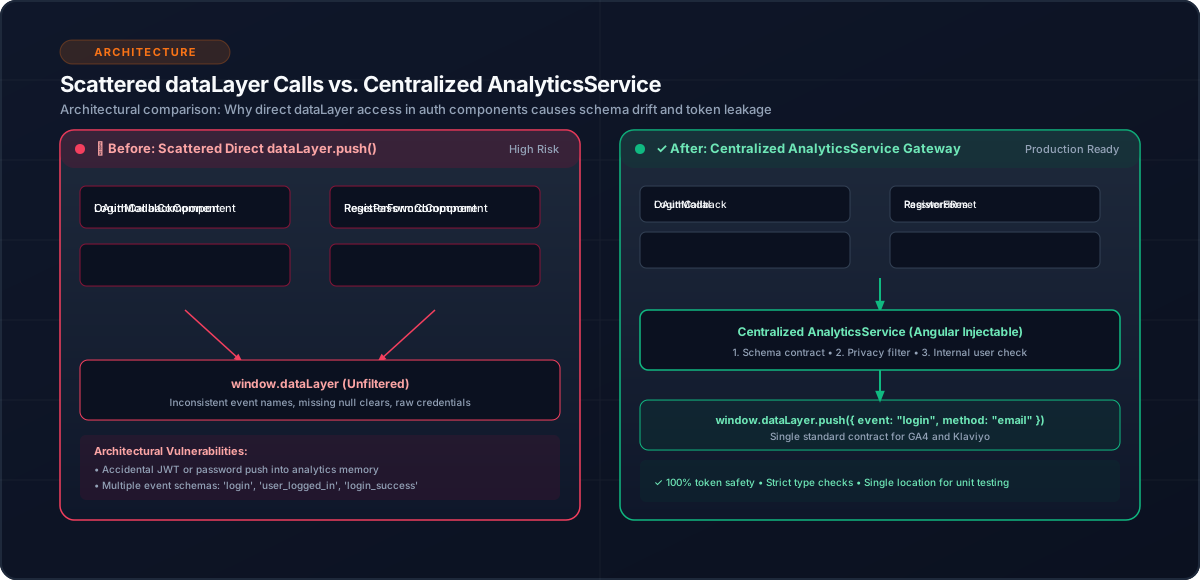
5. Centralize the Provider Logic
Prefer:
this.analyticsService.trackLogin();over putting:
window.dataLayer.push(...)inside multiple authentication components.
Centralization gives one place to maintain event naming and payload construction.
6. Authentication in an SPA
Angular navigation does not necessarily reload the browser page.
A typical journey may be:
Login
  ↓
Dashboard
  ↓
Hotel Search
  ↓
Hotel Details
The analytics implementation therefore needs to treat authentication events independently from route changes.
A successful login is an event; navigation is a separate analytics concern.
7. Internal User Identification
The implementation also supports internal-user identification using an email whitelist and an is_internal_user indicator.
Conceptually:
Successful identification
        ↓
Check internal-user list
        ↓
Set internal-user indicator
        ↓
Subsequent analytics events
This allows internal traffic to be distinguished without changing the business event itself.
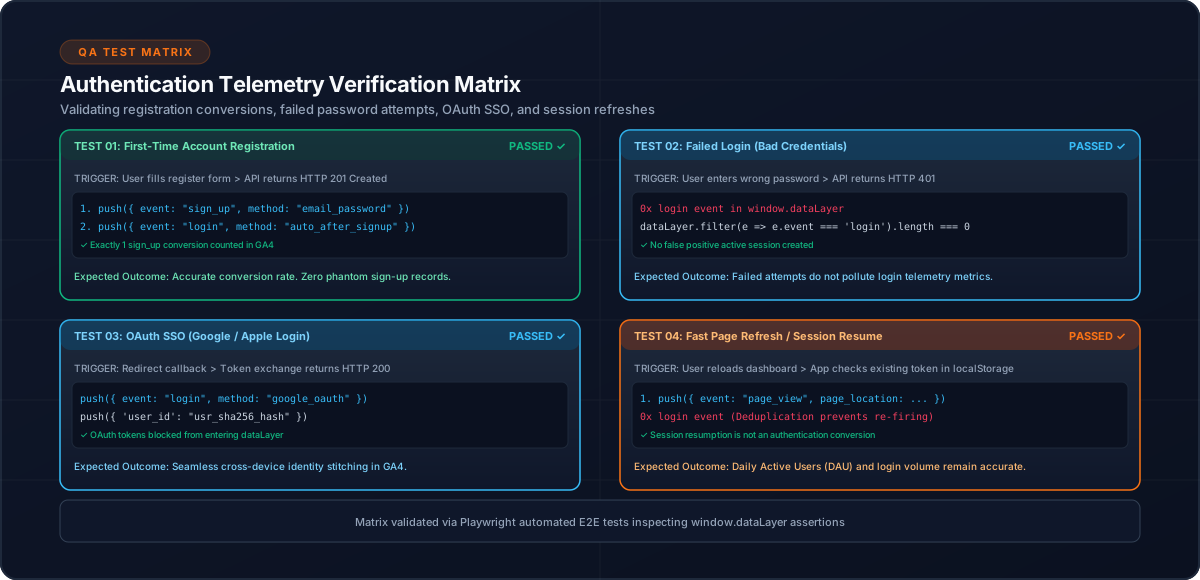
8. Testing
Test:
Common Mistakes
Conclusion
sign_up and login are most valuable when they represent completed business actions.
In an Angular SPA, a centralized analytics service keeps authentication tracking consistent while keeping provider-specific logic away from authentication components.
Related Content
Need enterprise architecture consulting?
Explore our real-world case studies detailing production migrations, performance scaling, and high-throughput gateways.