
How to Implement Google Tag Manager in an Angular Application
# How to Implement Google Tag Manager in an Angular Application
Google Tag Manager is useful when an Angular application needs a flexible way to manage analytics and marketing tags without embedding every provider directly into application components.
For a hotel booking platform, the challenge is not simply loading GTM. The application needs to expose reliable business events such as searches, hotel views, checkout and completed bookings through a consistent dataLayer.
This article explains a practical architecture for GTM in Angular.
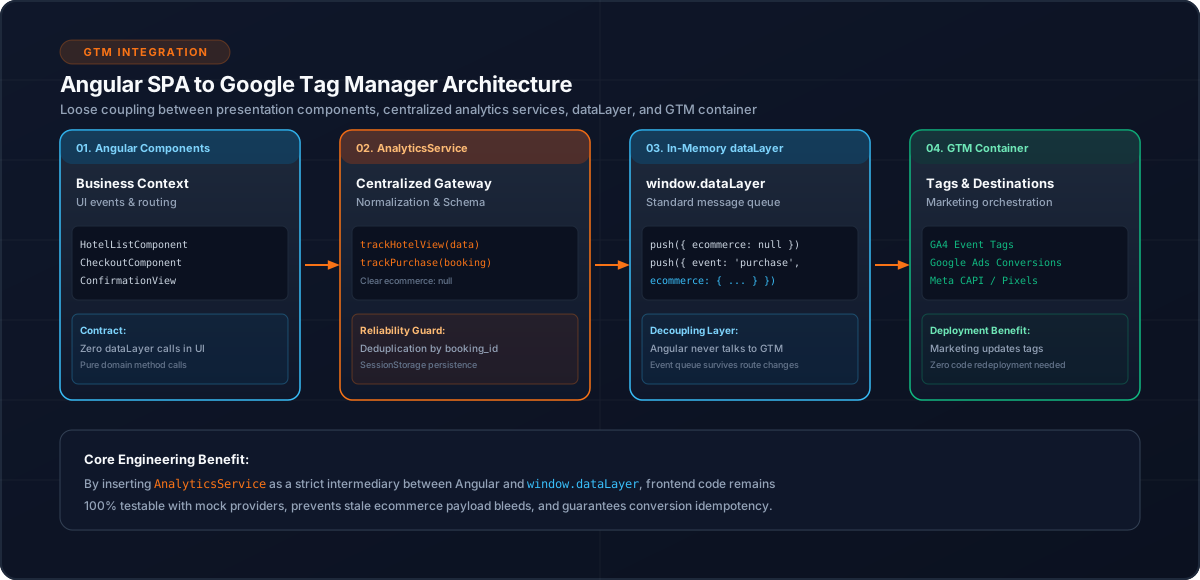
1. What GTM Does in an Angular Application
A simplified architecture is:
Angular SPA
    |
    v
dataLayer
    |
    v
Google Tag Manager
    |
    +----> GA4
    +----> Other configured tags
The Angular application provides the business context.
GTM handles tag orchestration.
GA4 receives analytics events through the configured GTM setup.
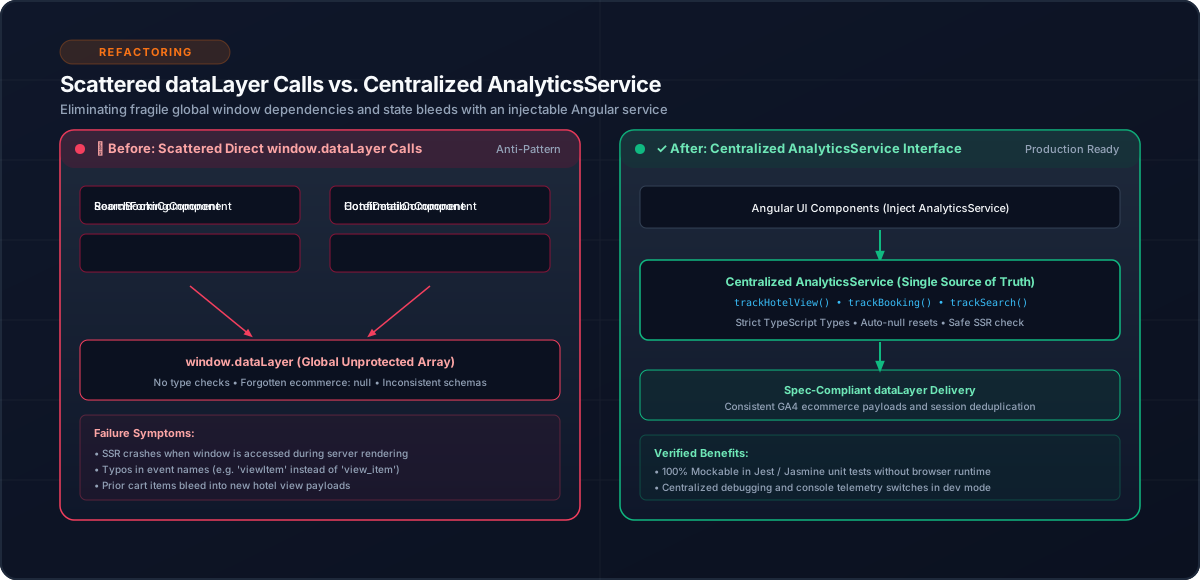
2. Why a Centralized Analytics Service Helps
Avoid putting GTM-specific code into every component.
Instead:
this.analyticsService.trackSearch(data);The service can handle:
3. Initialize the DataLayer
The dataLayer is the communication contract between the application and GTM.
A basic event:
window.dataLayer.push({
  event: 'search',
  search_term: destination
});
The application should use a consistent event vocabulary.
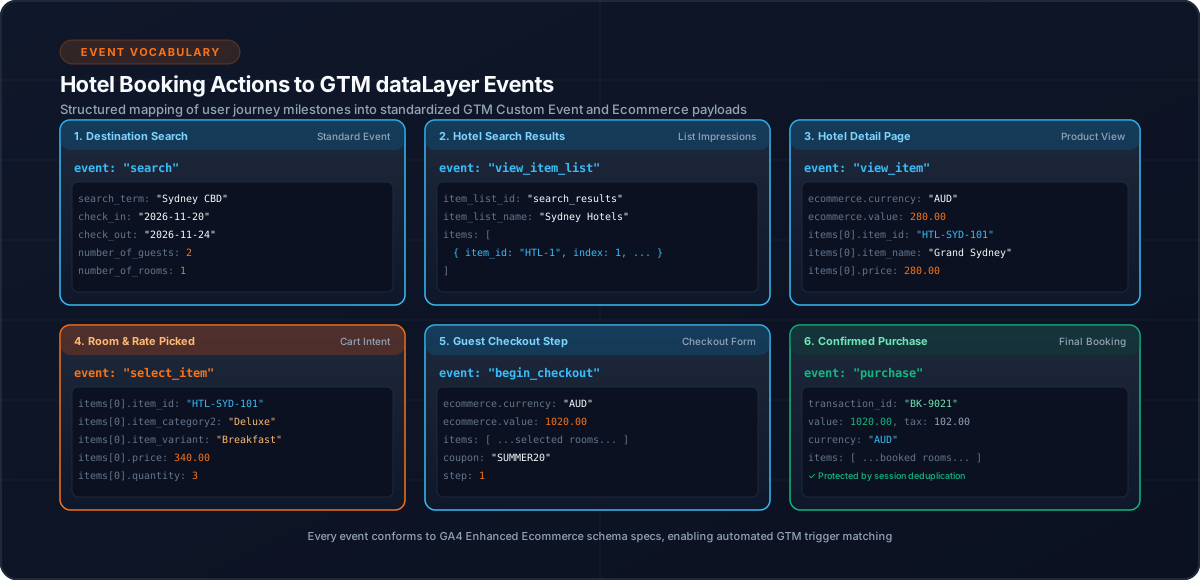
4. Define Business Events
For a hotel booking journey:
| Event | Purpose |
|---|---|
page_view | SPA navigation |
search | Hotel search |
view_item_list | Hotel result list |
view_item | Hotel detail |
rooms_loaded | Room/rate loading |
select_item | Selection |
begin_checkout | Checkout |
payment_started | Payment |
purchase | Completed booking |
The event model should be defined before implementing individual tags.
5. Ecommerce Events
GA4 ecommerce events can be passed through the dataLayer.
Example:
window.dataLayer.push({
  event: 'view_item',
  ecommerce: {
    items: [
      {
        item_id: hotelId,
        item_name: hotelName
      }
    ]
  }
});
The same entity identifiers should remain consistent across the funnel.
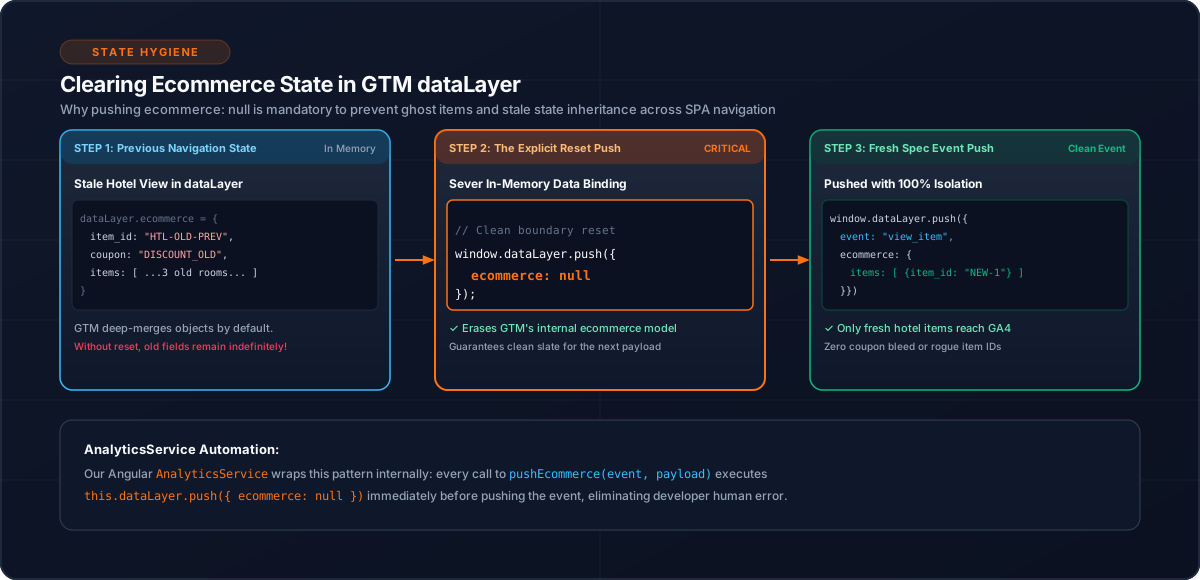
6. Clear Ecommerce State
Before sending a new ecommerce object:
window.dataLayer.push({
  ecommerce: null
});
Then send the new event.
window.dataLayer.push({
  event: 'view_item',
  ecommerce: {
    items
  }
});
This creates an explicit ecommerce-state boundary.
7. SPA Page Views
Angular route navigation is different from traditional page loads.
/hotels
   ↓
/hotel/123
   ↓
/checkout
   ↓
/confirmation
The analytics layer should explicitly track meaningful SPA route changes.
Browser page load
        ≠
Angular route change
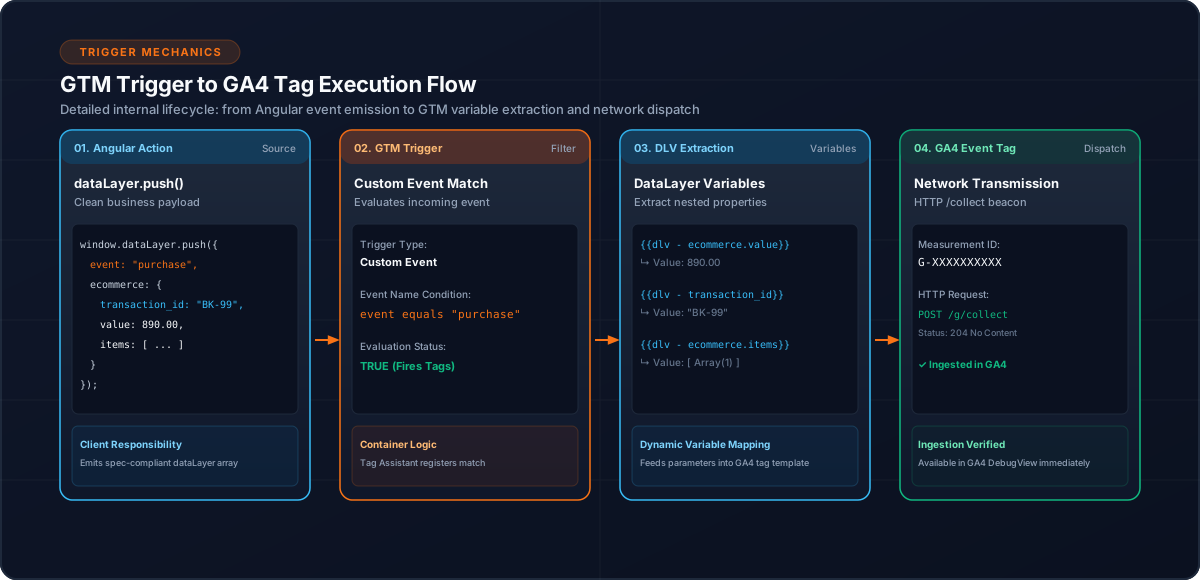
8. Configure GTM Around the Event Contract
Once the application event model is stable, GTM can use the events to trigger configured tags.
Conceptually:
dataLayer event
      ↓
GTM trigger
      ↓
Tag
      ↓
Analytics platform
This separation allows tag configuration to evolve without changing Angular business components.
9. Purchase Tracking
Purchase events need additional protection.
A booking confirmation page can be revisited.
Use a stable booking ID to prevent the same transaction from being repeatedly emitted by the application.
const key = `purchase_tracked_${bookingId}`;

if (sessionStorage.getItem(key)) {
  return;
}
After successful tracking, store the transaction marker.
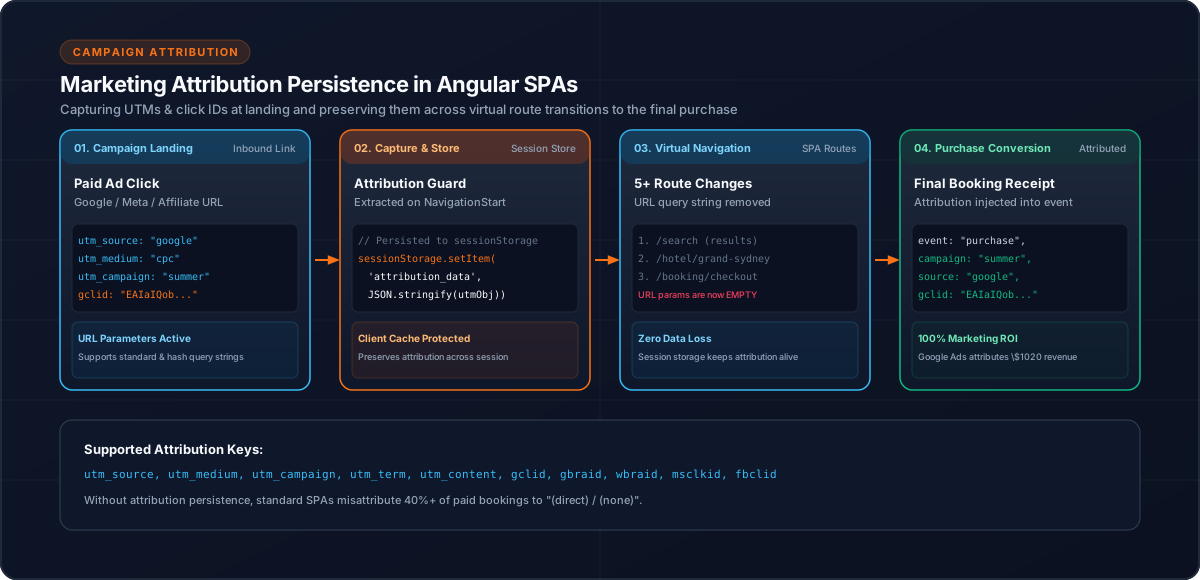
10. Attribution
Campaign parameters can disappear as the user navigates through an SPA.
Capture and persist parameters such as:
utm_sourceutm_mediumutm_campaignutm_termutm_contentgclidgbraidwbraidmsclkidfbclidHash-based Angular routes should also be considered when extracting query parameters.
11. Testing GTM Integration
Validate the complete chain:
Angular interaction
      ↓
AnalyticsService
      ↓
dataLayer
      ↓
GTM
      ↓
Tag
      ↓
Destination platform
Test both normal and failure scenarios.
For ecommerce, verify:
12. Common Mistakes
dataLayer.push() directly from many components.13. Conclusion
A good GTM implementation in Angular is primarily an architecture problem.
The important boundary is:
Angular business events
        ↓
AnalyticsService
        ↓
dataLayer
        ↓
GTM
        ↓
Analytics providers
Once that boundary is stable, GTM becomes easier to manage and the application remains less coupled to individual analytics providers.
Related Content
Need enterprise architecture consulting?
Explore our real-world case studies detailing production migrations, performance scaling, and high-throughput gateways.